Early-bird price, until Dec 8: $4.99, from December 9 $9.99. See all prices
Watch sample videos free, no account needed
These are AI-made examples, not real footage.
Christmas morning
Santa walks up to your front door, leaves a present, whispers Merry Christmas with your child's name and vanishes in golden sparkles.
About 10 seconds
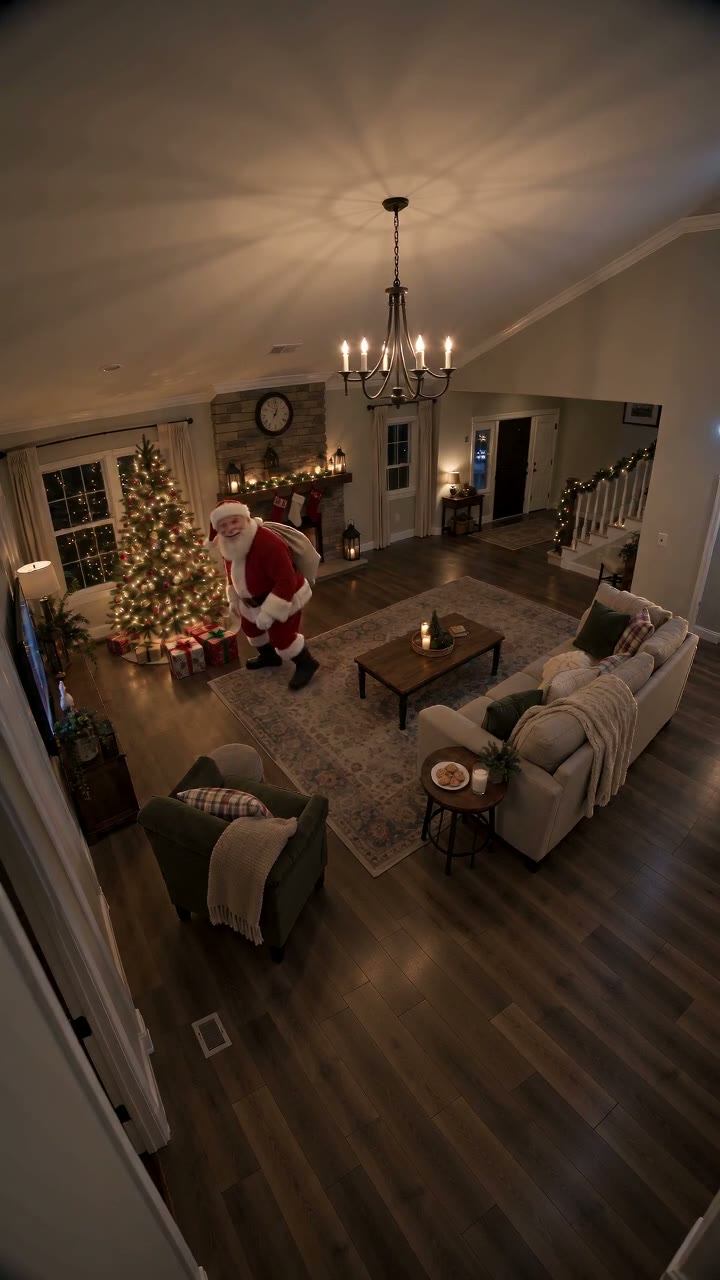
Santa tiptoes in, leaves presents under your Christmas tree and whispers Merry Christmas with your child's name.
About 10 seconds
Why some kids are scared of Santa
Fear of Santa is common in toddlers and preschoolers. Santa is a stranger with a hidden face, a deep voice and a lot of attention from grown-ups, and children are often told to sit still and smile. Some kids are startled by noise or surprises; others simply need more time to warm up to someone new.
A screen can be easier than a shopping centre visit. There is no queue, no lap to sit on and no costume up close, and your child stays somewhere familiar. Even so, the goal is a happy moment, not getting through it.
Preview first, then watch together
A recorded video is predictable: it is the same every time, 10 to 15 seconds long, and you can watch it before your child does. In the Tree and Door styles Santa is busy leaving presents and whispers Merry Christmas, which often feels gentler than a close-up greeting. Try Santa by your tree first.
- Watch the video alone first with sound, so you know exactly when Santa appears and speaks.
- Tell your child what will happen: Santa will leave a present, whisper your name, and then it ends.
- Sit together and hold the phone yourself, with the volume low.
- Let your child press play, or decide not to.
- Stop the moment they look worried, and thank them for trying.
Comfort features in the live AI Santa call
| Worry | What the live call does |
|---|---|
| Can Santa see me? | No. Your child’s camera view shows only on your phone and is never sent; you can switch the camera off. |
| A voice that is hard to follow | Live captions show what Santa and your child say; tap CC to turn them off. |
| Needing a break | Tap Mute so Santa cannot hear your child for a moment. |
| Wanting to stop | A grown-up stays for the whole call and can end it any time. |
| Long conversations | Split your minutes into short calls; time counts only while Santa is on screen. |
It is AI Santa, not a real person, and he hears your child but never sees them. Read how the live Santa video call works yourself before suggesting it.
Rehearse a hello
Practise with a toy phone and a teddy playing Santa. Take turns: your child says hello, the teddy says their name. Keep it to one or two lines, like: hi Santa, I like reindeer. Knowing what to say takes away much of the worry.
Before a live call, add a family detail your child is proud of, such as a new puppy or learning to ride a bike, so Santa opens with something familiar. A first call of one minute is plenty.
Sensory-friendly tips
Every child is different. These are practical, parent-led ideas, not therapy or medical advice: you know your child best, including what helps an autistic or sensory-sensitive child feel safe.
- Lower the volume before pressing play, and use headphones only if your child already likes them.
- Keep the room calm: lights on, no surprise audience and no filming their reaction.
- Agree on a stop signal, like a thumbs down or a hand over the screen, and always honour it.
- Offer choices: now or later, captions on or off, on your lap or beside you.
- Repeat the same video rather than showing something new; familiar is comforting.
Kind words if it does not work out
If your child says no, that is a fine answer. Try something like: that’s okay, Santa likes waves from far away too. Then put it away. Never use Santa as a threat or say he will be cross; fear makes the next try harder.
You can try again next week or next year. Some families prefer a letter or another of the ways to talk to Santa instead, and the guide to Santa for toddlers covers the very youngest.
Questions about this guide
Why is my child scared of Santa?
Santa is a stranger with a beard, a deep voice and lots of adult attention around him. Many young children need time to warm up, and that is a normal reaction rather than a problem to fix.
Can Santa see my child on the live call?
No. The camera view stays only on your phone and is never sent, and you can switch the camera off. AI Santa hears your child but cannot see them.
Is a recorded Santa video better for a shy child?
Often, yes. It is short, the same every time and can be previewed first, so there are no surprises. Try a live call later if your child asks for one.
What should I do if my child cries during a Santa call?
End the call with the End button, then cuddle and reassure them. Minutes count only while Santa is on screen, so the rest stays in your balance for another day.
Are these Santa tips suitable for an autistic child?
They are practical, parent-led ideas many families find helpful: predictability, previewing, choices and a stop signal. They are not medical advice, so adapt them to what you know works for your child.