Early-bird price, until Dec 8: $4.99, from December 9 $9.99. See all prices
Watch sample videos free, no account needed
These are AI-made examples, not real footage.
Before Christmas
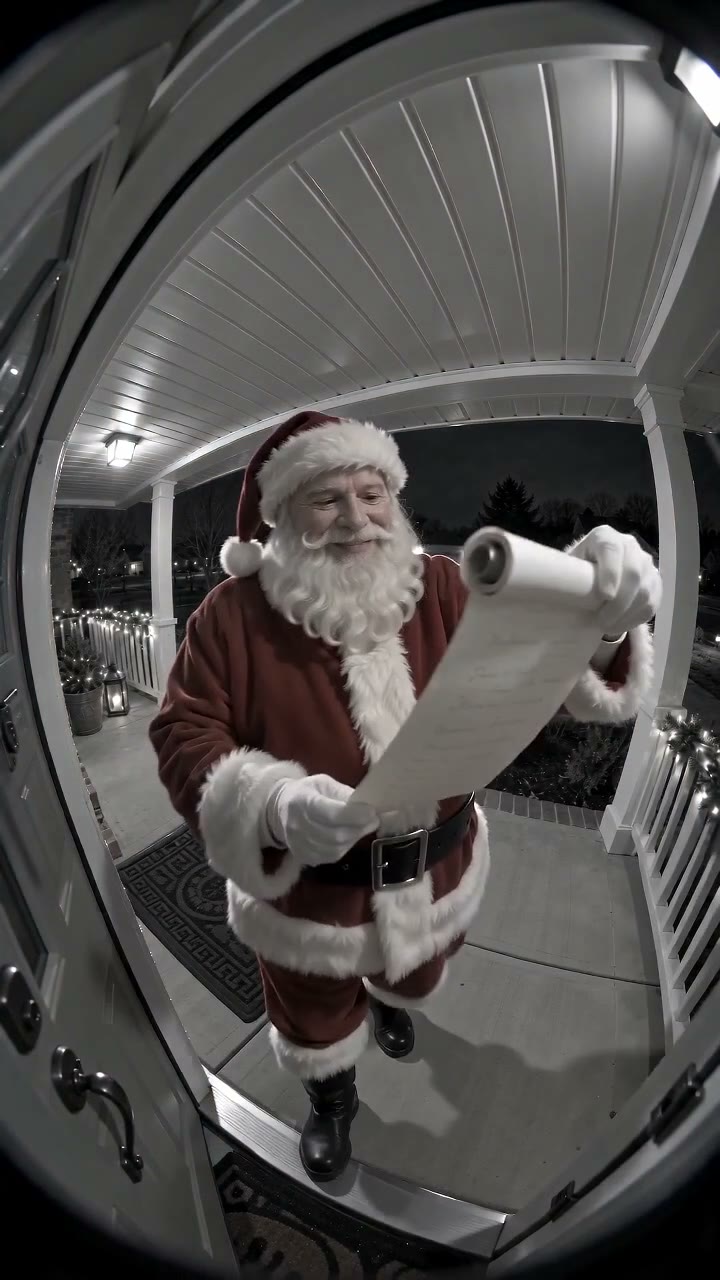
Santa appears in a flash of light at your door, reads his Nice List, says your child's name, gives a thumbs up and vanishes.
About 10 seconds
Choose an elf action: Fly, Wave, Sneak, Zip line, Stocking, Candy cane, Toy car, Arrive, Toy elf dance, Peekaboo, Goodbye. It whispers your child's name and returns to its spot, or vanishes in sparkles for Goodbye.
About 15 seconds
Santa says: “Thank you for tidying your toys.”
Christmas morning
Santa tiptoes in, leaves presents under your Christmas tree and whispers Merry Christmas with your child's name.
About 10 seconds
Take the right classroom photo
Photograph the classroom door, the class tree, a decorated window or the reading corner, with no students, staff or reflections in the frame. Photos showing any person are refused, and student photos are never used. Leave out name lists, timetables and anything that identifies your school.
A wide, tidy photo works best. The Nice List style works with a door or room photo; the Tree style needs a tree in view, with space for Santa to leave presents. If school rules forbid any classroom pictures, the Sleigh selfie needs no photo at all.
Names or a class greeting
One video says up to three first names, which does not cover a class. Leave the names blank and Santa greets everyone, or use the optional personal line, up to 40 characters, for something like: Room 12, our kindest helpers. You preview the sentence it becomes before the video is made, and camera videos with a personal line last 15 seconds.
For a longer message, the Sleigh selfie lets you write the whole greeting, 10 to 40 words, which Santa says from his sleigh. It suits a goodbye before the winter break.
Play it in class
- Make and download the video; it is usually ready in 5 to 10 minutes.
- Watch it alone first, with sound, on the device you will use in class.
- Play the MP4 on the classroom screen from any computer that plays video files; no app or login is needed.
- Set the volume to a comfortable level before the children arrive.
- Invite the class to wave back, then move on to the next activity.
Privacy checklist for teachers
| Question | Answer |
|---|---|
| Are student photos needed? | No. Photos of children are never allowed. |
| Is anything recorded in class? | No. A recorded video only plays; it never uses your camera or microphone. |
| How long is the photo kept? | It is deleted within 7 days. |
| How long is the video kept online? | 30 days on its private page, so download your copy. |
| Is it used to train AI? | No. We don't sell photos or videos, and we don't use them to train AI. |
Bilingual and inclusive classes
Each video can speak English, Spanish, Brazilian Portuguese or French. In a bilingual class, make one video per language and play both; children often enjoy spotting the words they know.
Not every family celebrates Christmas or Santa. Present the video as a fun winter story rather than a fact, offer a quiet alternative to children who would rather not watch, and follow your school’s guidance on holiday activities. A short note home lets families decide for themselves.
The live Santa video call is a conversation with one named child, set up by a parent with that child’s age and family details. It is not designed for a room full of children, so suggest it to families for home use instead.
A classroom elf
Many classes keep a toy elf in December. Photograph the elf on its shelf with nobody around, and the elf can wave, peek out, ride a zip line along the lights or say goodbye on the last school day. Start with the Arrive action on the first day of December, and browse elf video ideas for the weeks after.
The elf can whisper a short kind line, such as a thank-you for tidying up, and each elf video lasts about 15 seconds. No elf doll? Upload an empty shelf photo and the tool adds a friendly girl elf.
Questions about this guide
Can I make a Santa video for my whole class?
Yes. Use a photo of your classroom door, room or tree with no people in it, leave the names blank or add a class greeting, and play the MP4 on the class screen.
Can Santa say every student’s name?
One video says up to three first names, so for a class leave the names blank or add a short class greeting in the personal line. Never upload a class list or student photos.
Can I show the Santa video on a smartboard?
Yes. Download the MP4 and play it from any computer connected to the board. It is a 720p HD MP4 with no watermark.
Is a classroom Santa video fine for students who do not celebrate Christmas?
Treat it as optional. Frame it as a seasonal story, offer another activity for anyone who would rather skip it and follow your school’s policy on holiday content.
Can my class have a live call with Santa?
The live AI Santa call is built for one child at home, with that child’s name and age. For a group, a recorded video plays better on a classroom screen, and nothing is recorded in the room.