Early-bird price, until Dec 8: $4.99, from December 9 $9.99. See all prices
Watch sample videos free, no account needed
These are AI-made examples, not real footage.
Before Christmas
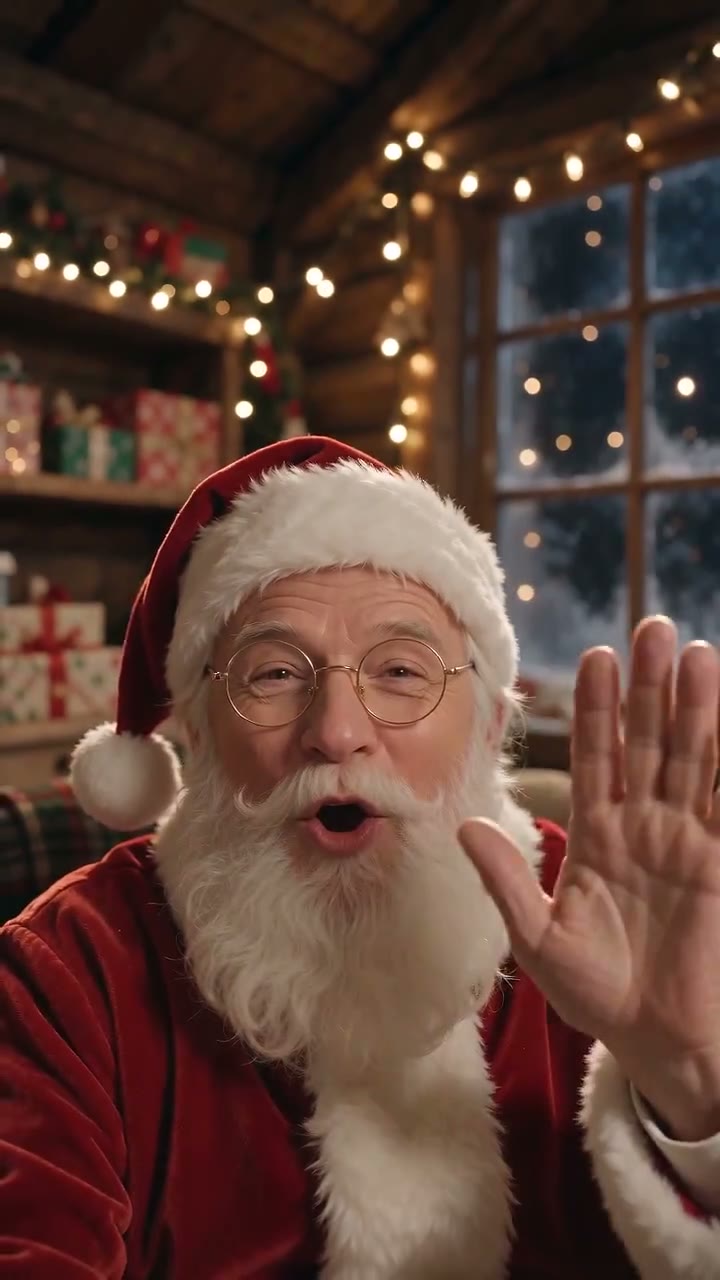
Santa waves from his workshop, says your child's name and pauses as if listening. A recorded pretend call, about 15 seconds, not live.
About 15 seconds
Christmas morning
Santa tiptoes in, leaves presents under your Christmas tree and whispers Merry Christmas with your child's name.
About 10 seconds
What toddlers actually enjoy
Toddlers love hearing their own name, seeing a friendly face and watching the same thing again and again. They rarely follow a long conversation, and a stranger asking questions can feel like a lot. A 10 to 15 second video fits their attention span, and they can watch it ten times in a row without getting bored.
Watch on a parent’s lap or snuggled next to a sibling, with the sound turned down a little. Pause when Santa waves and wave back. At this age, short, warm and familiar beats big and surprising.
Recorded video or live call for a toddler
| Question | Recorded video | Live AI Santa call |
|---|---|---|
| Which ages? | Any age, including babies | The call form starts at age 2 |
| How long? | About 10 to 15 seconds | 3 or 5 minutes, split across calls |
| Can it be replayed? | Yes, download the MP4 | Only if you tick Save this call |
| Does your child need to talk? | No | It helps: Santa listens and answers |
| Best moment | Any time, again and again | A calm moment after a nap |
A first Christmas video for a baby
For a baby’s first Christmas, the video is often more for the family than for the baby. A Tree or Nice List video at your own tree or front door, with their name, makes a keepsake you can show them in a few years. Older brothers and sisters can be named in the same video, up to three first names.
Use a photo of the room or door with no people in it. Baby photos are never needed: Santa Cam does not accept photos of children, and uploaded photos are deleted within 7 days.
Getting a little name right
Toddlers often answer to a nickname, and AI pronunciation can vary. Type the name your child actually hears every day, spelled the way it sounds, and listen to the finished video before your child does.
If Santa says it wrong, every video comes with a free name fix: we make it again with the same photo, name and settings, up to twice per video, within 7 days of delivery (by Dec 25 for videos ready before Christmas).
How to show it
- Watch the video alone first, with sound.
- Pick a calm time, not right before a nap or bedtime.
- Sit your toddler on your lap and say: look who wants to say hello.
- Play it once, then ask if they want to see it again.
- Keep it a happy everyday surprise, without a big build-up.
If your toddler cries
Some toddlers cry at Santa, on screen or in a shopping centre, and that is a normal reaction to a big bearded stranger. Stop the video, cuddle and try again another day, or not at all this year. The Tree style, where Santa tiptoes in and whispers, can feel gentler than a face-to-face greeting. Our guide for children who are scared of Santa has more calm steps.
For a live call with a 2 or 3 year old, plan one minute rather than five. Minutes split across calls, so you can stop early and keep the rest for a sibling or another day. Read how the live Santa video call works before booking. If older children want to join in, see one Santa video for siblings.
Questions about this guide
Is a Santa video good for a 1 year old?
Yes, as a short shared moment. Keep your child on your lap, keep the volume low and choose a 10 to 15 second recorded video rather than a live call.
Can a 2 year old do the live Santa call?
Yes, the call form starts at age 2. Keep the call to a minute or two, sit with your child and let Santa do most of the talking.
Should I use my toddler’s nickname in the video?
Use the name your child answers to. Santa only needs a first name, and a short familiar nickname is usually easier for a toddler to recognise.
Do I need a photo of my baby?
No. Santa Cam never uses photos of children. Home-camera styles need a photo of a door, tree or room with no people, and the Video call style needs no photo at all.
How many times can my toddler watch the video?
As often as they like. You download the MP4, so it plays on your phone or TV without a connection. Videos stay on their private page for 30 days, so save your copy.